
To group your form fields, use the form builder’s grouping or sectioning features. You can create sections or use grouping tools to organize related fields together. This helps improve form structure, making it easier for users to navigate and complete.
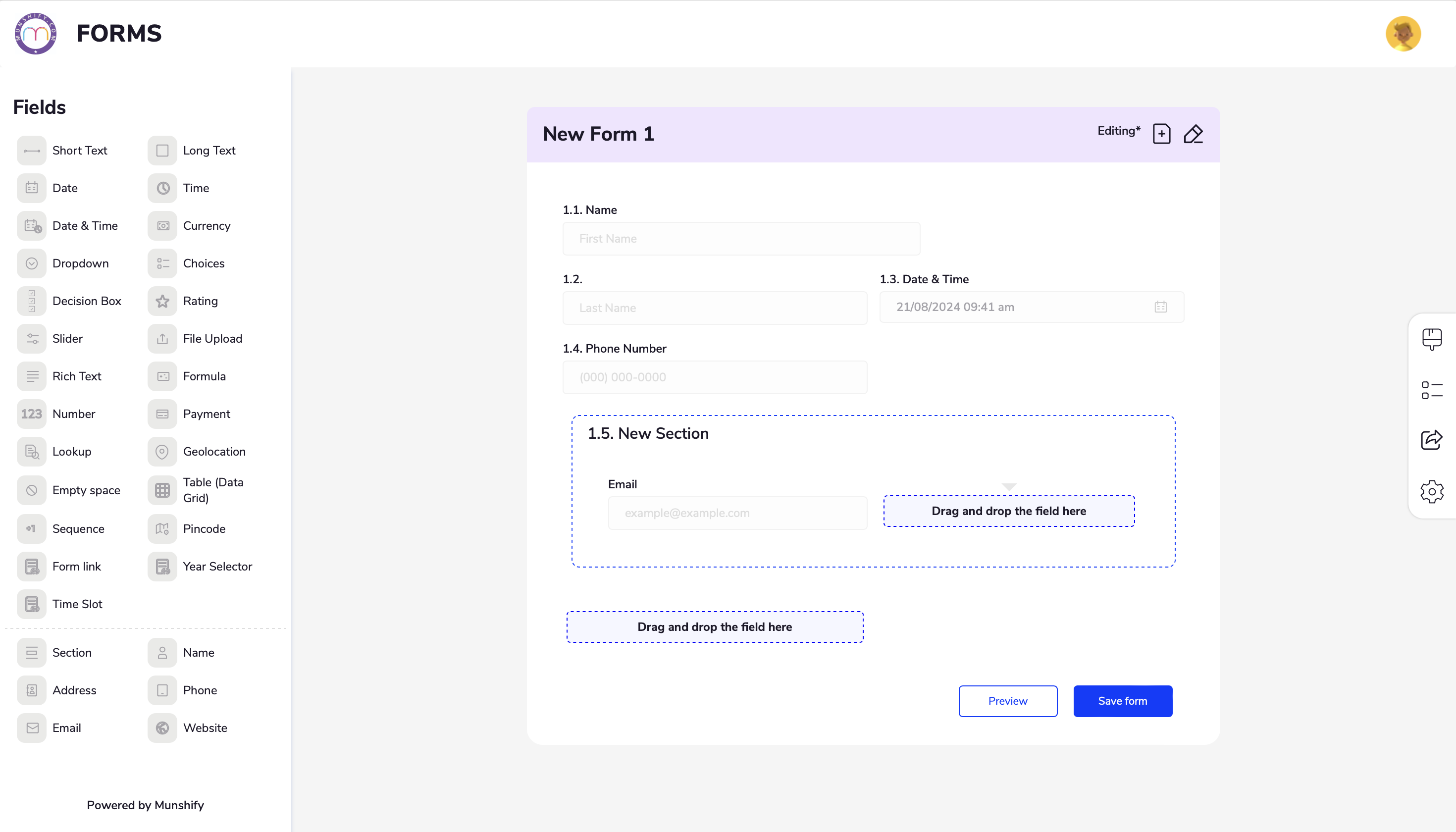
The Section element enables you to group form fields and divide your form into expandable sections.
To add sections to your form
In the Form Builder, insert a Section from the fields on the form .
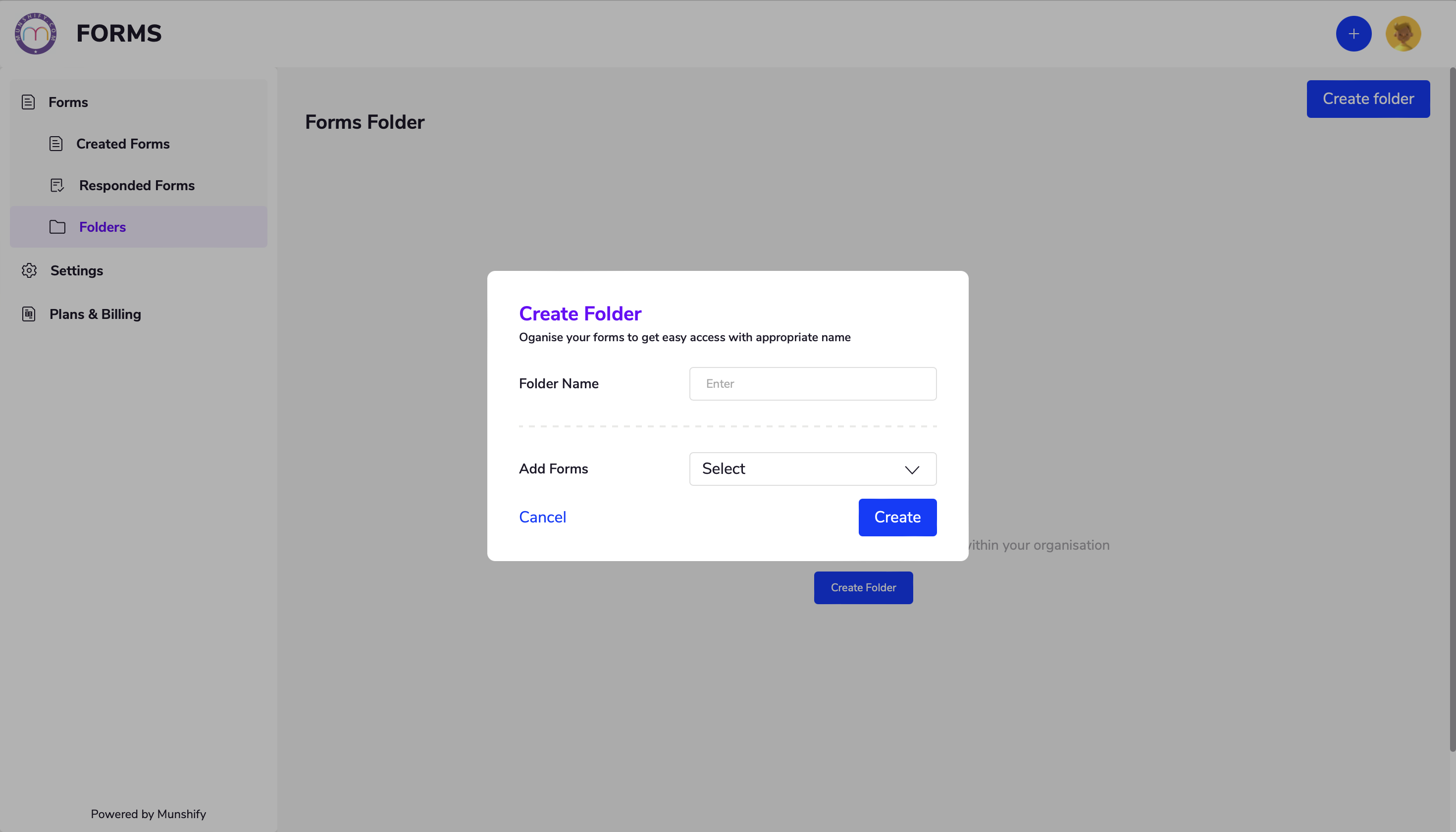
You can organize your forms into folders to keep things tidy. As you accumulate more forms in your account, this feature will help you locate them quickly and easily.
Creating Folders
- On the homepage of the form builder, click the folder icon on the left side, located under the “Forms” section.
- Now you can name your folder and select the forms you want to add to the folder.
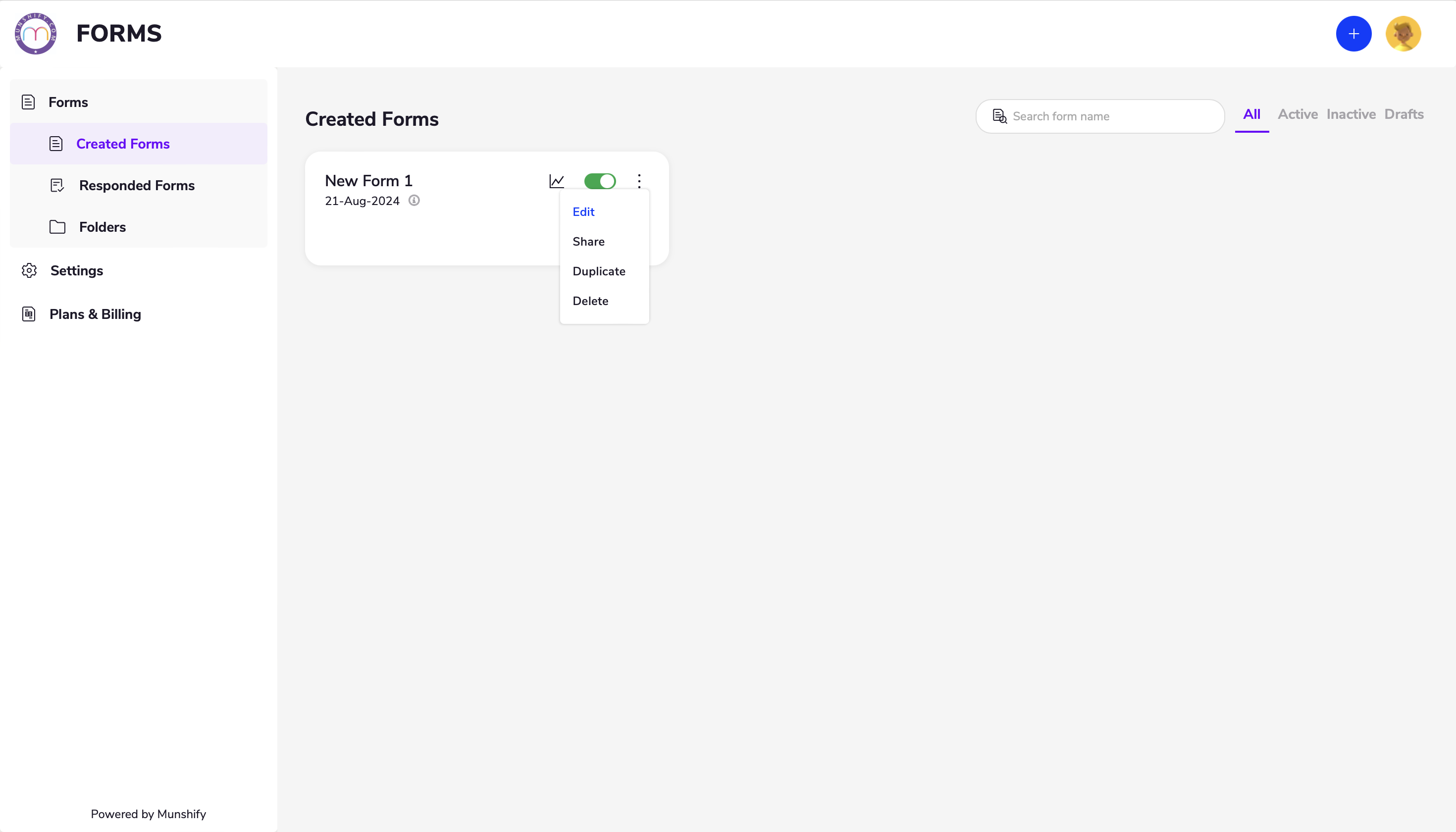
Deleting old or unused forms helps maintain an organized account. It reduces clutter in your workspace and ensures you only manage relevant forms. Additionally, removing forms with sensitive or personal data ensures that this information is no longer accessible.
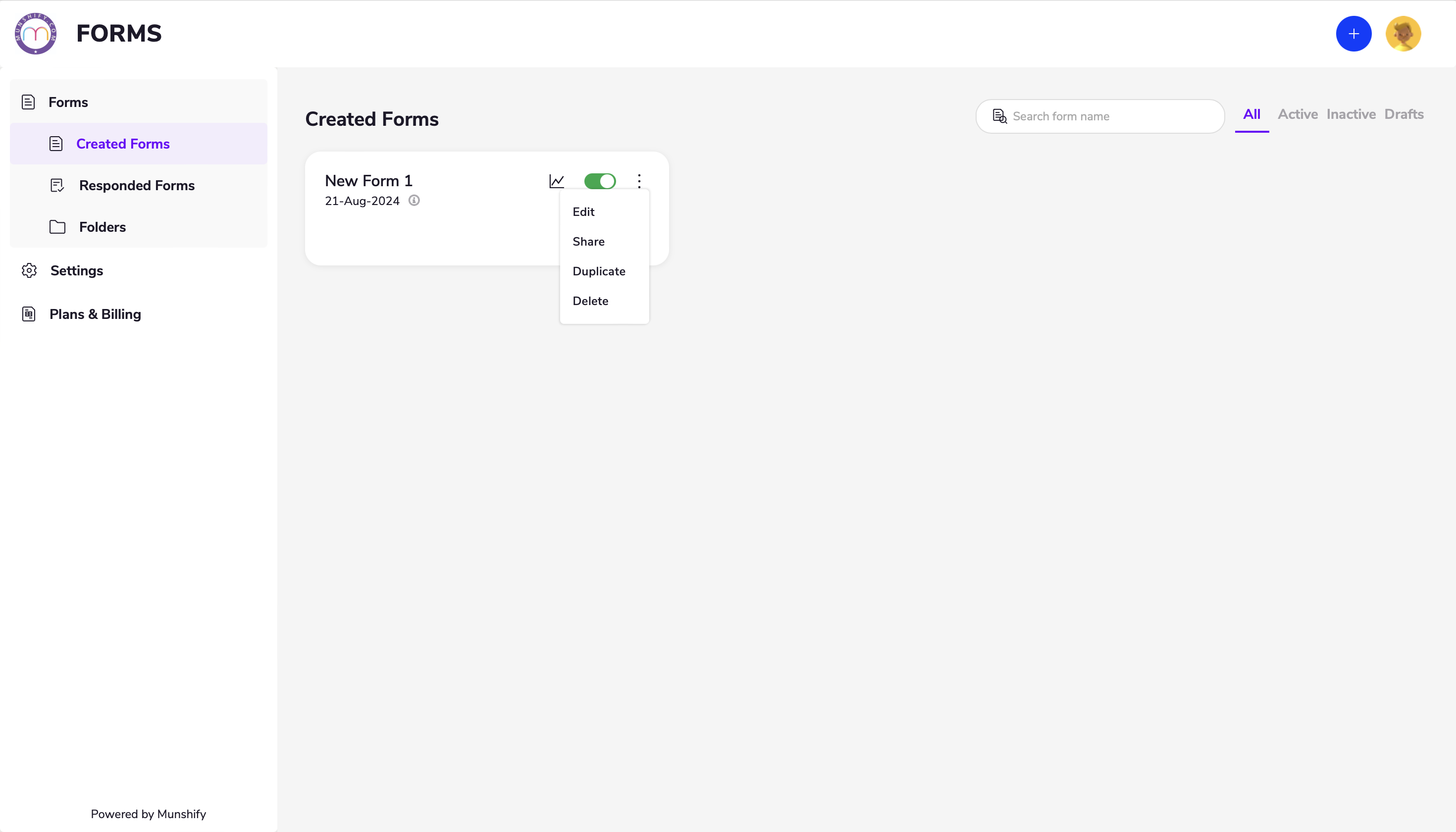
To delete a form
- Go to the homepage and select “Created Forms” in the Forms section.
- Click on the options menu for the form (represented by the three dots) and select “Delete.”
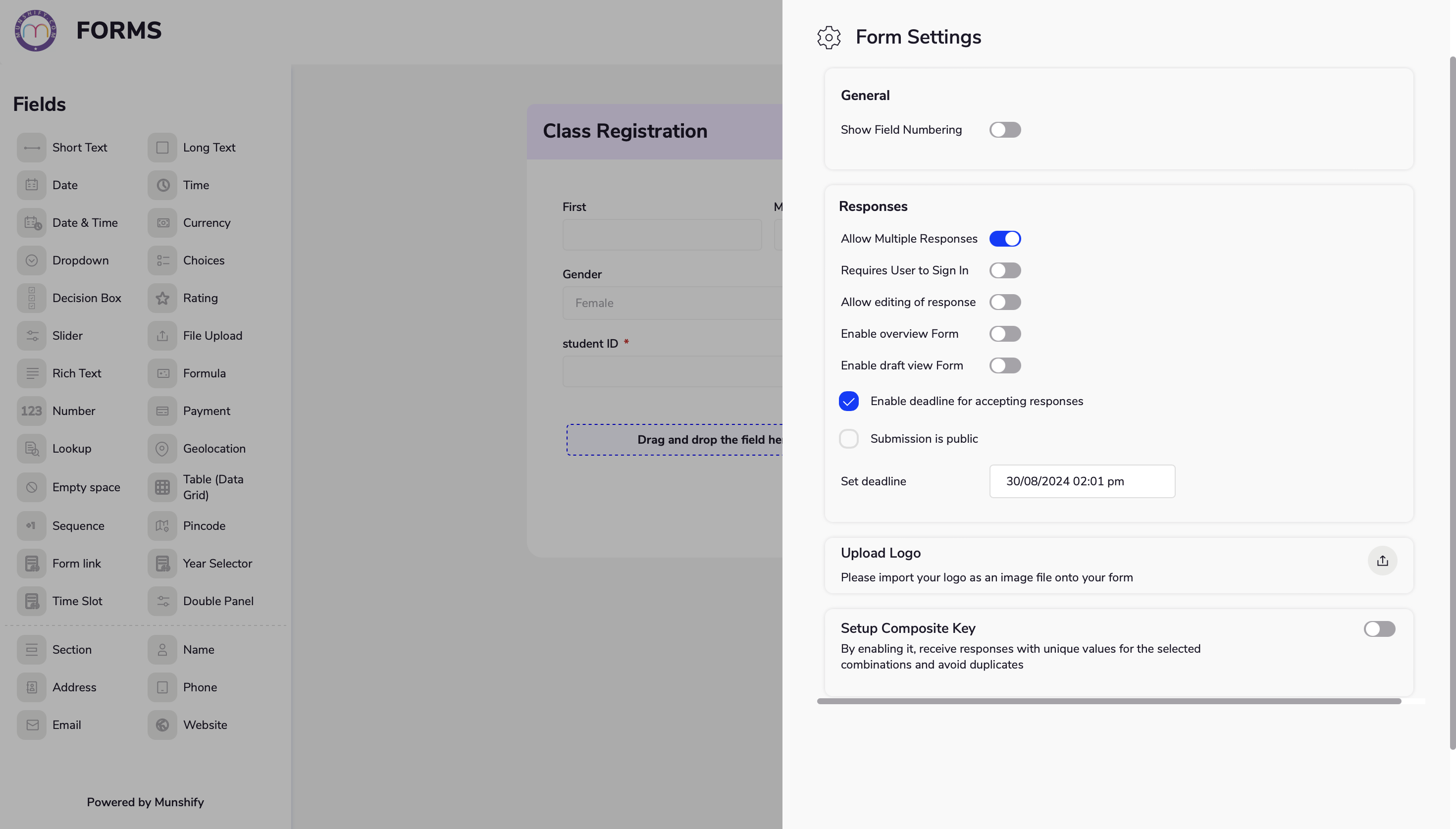
To add time and response limits, go to the form settings in your builder. Set a deadline or time constraints and specify the maximum responses allowed to control availability and manage volume.
Munshify Form’s intuitive interface makes it easy to modify your forms. Whether you’re adjusting questions or adding new fields, you can customize your forms to meet your specific needs effortlessly.
To edit your form
Go to home page and select the form that you prefer to edit
- You can add new fields to capture additional information, restructure existing fields to improve the form’s layout, and change questions to better fit your requirements.
- Additionally, you can adjust field settings, update field types, and reorder elements to create a form that perfectly aligns with your needs.
- Whether you need to refine the form’s content or enhance its structure, Munshify provides the flexibility to make these changes smoothly.
We are located at

eReleGo Technologies Pvt Ltd
646, 52, 12th Main Rd,
2nd Block, Rajajinagar,
Bengaluru, Karnataka 560010