

Forms are more than just a means of collecting information; they are a crucial touchpoint between users and your website. An effective form design takes into account user experience, visual aesthetics, and functionality to maximize the overall success of the form.
Table of Contents
- Understanding the Importance of Form Design
- Elements of Effective Form Design
- Clear and Concise Fields
- Visual Hierarchy
- Intuitive Navigation
- Minimize Distractions and Clutter
- Utilize Inline Validation
- Opt for Autocomplete and Autofill Features
- Best Practices for Form Template Optimization
- Responsive Design
- A/B Testing
- Accessibility
Understanding the Importance of Form Design
The design of a form can have a significant impact on user engagement and conversion rates. A poorly designed form with confusing fields or cluttered layout can frustrate users and deter them from completing the form. On the other hand, a well-designed form that is intuitive and visually appealing can encourage users to engage and increase conversion rates.
Elements of Effective Form Design
Clear and Concise Fields
The first step in creating an effective form is to keep it simple. Avoid overwhelming users with too many fields or unnecessary questions. Each field should serve a specific purpose and be clearly labeled to guide users through the form-filling process.
Visual Hierarchy
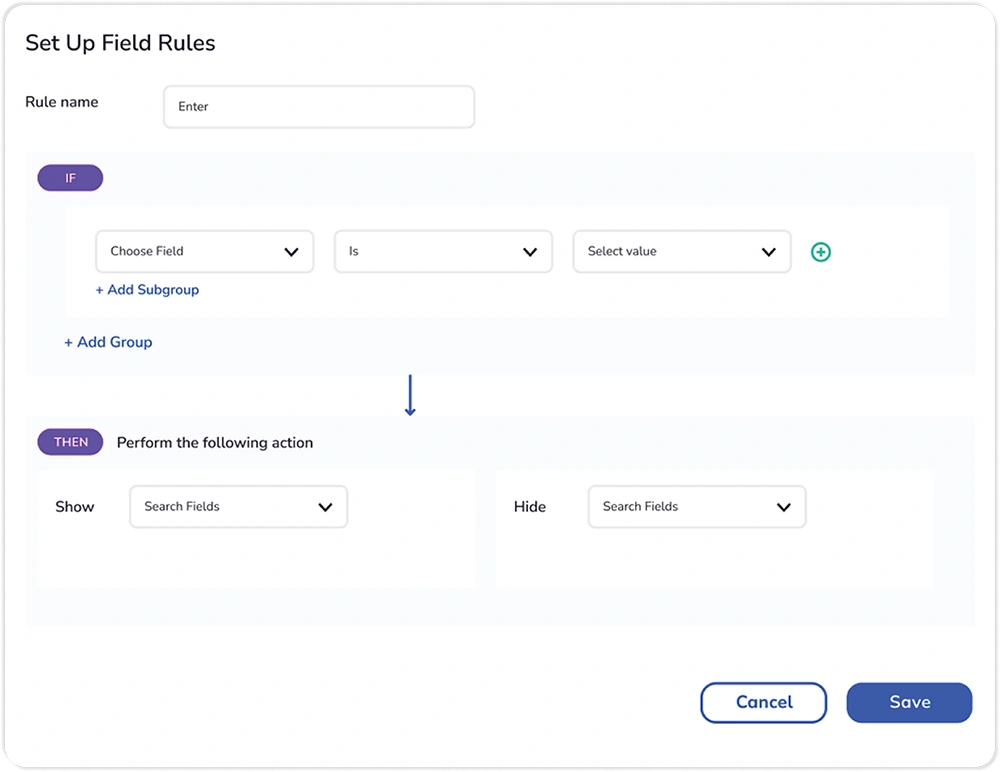
Visual hierarchy plays a crucial role in guiding users’ attention and emphasizing important elements within the form. Use visual cues such as color, size, and spacing to create a clear hierarchy and draw attention to key fields or calls to action.
Intuitive Navigation
Navigating through a form should be seamless and intuitive for users. Group related fields together, use logical progression, and provide clear instructions to help users understand what is expected of them at each step.
Minimize Distractions and Clutter
When designing forms, it is essential to eliminate unnecessary distractions that could divert users’ attention away from the primary task of filling out the form. Avoid cluttered layouts, excessive imagery, or irrelevant information that may confuse or overwhelm users. Keep the design clean and focused, with ample white space to help users focus on the form fields and calls to action.
Utilize Inline Validation
Inline validation provides real-time feedback to users as they fill out form fields, helping to reduce errors and frustration. By validating each field as soon as it is completed, users can immediately correct any mistakes without having to wait until they submit the form.
Opt for Autocomplete and Autofill Features
Autocomplete and autofill features can streamline the form-filling process by automatically suggesting or populating information based on user input or previously entered data. By leveraging browser capabilities to autofill common fields such as name, email address, or postal code, you can reduce user effort and improve efficiency.
Best Practices for Form Template Optimization
Responsive Design
With the increasing use of mobile devices, it is essential to ensure that your forms are optimized for all screen sizes. Responsive design allows your forms to adapt to different devices and provides a consistent user experience across desktop, tablet, and mobile.
Learn more about online form maker – Click Here
A/B Testing
A/B testing is a valuable tool for optimizing form templates and improving conversion rates. By testing different variations of your form, such as layout, field placement, or button color, you can identify which design elements resonate most with your audience and make data-driven decisions to optimize your forms for maximum effectiveness.
Accessibility
Accessibility is an often-overlooked aspect of form design but is crucial for ensuring that all users, regardless of ability, can engage with your forms. Ensure your forms are keyboard accessible, have descriptive labels for form fields, and provide alternative text for images. This ensures inclusivity and compliance with accessibility standards.
In conclusion, the design of your form templates plays a crucial role in shaping the user experience and ultimately determining the success of your forms. By following best practices for form design and optimization, you can create forms that are user-friendly, visually appealing, and highly effective at achieving your goals. Remember to continuously monitor and test your form templates to identify areas for improvement and stay ahead of the curve in the ever-evolving landscape of online form design and user engagement.
Enhance your form-filling experience with Munshify Forms! Enjoy a 14-day free trial and access advanced features like dynamic form fields, real-time validation, and seamless integrations. Sign up now and transform your user engagement!