
5.1 – Paid Campaigns
“Paid campaigns” refer to advertising initiatives in which a company or individual pays a platform, such as social media networks (e.g., Facebook, Instagram, Twitter), search engines (e.g., Google), or other digital advertising channels, to promote their products, services, or messages to a targeted audience. Here’s a detailed explanation of what paid campaigns entail:
- Objective and Goals: Before launching a paid campaign, it’s essential to define clear objectives and goals. These could include increasing brand awareness, driving website traffic, generating leads, boosting sales, or any other specific outcomes desired from the campaign.
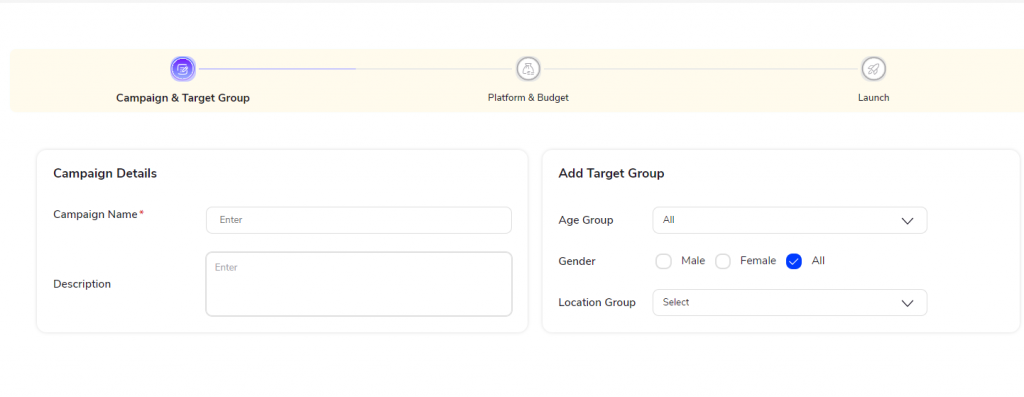
- Target Audience: Paid campaigns allow advertisers to precisely target their audience based on various demographics, interests, behaviors, and other criteria. This targeting ensures that the campaign reaches the most relevant audience likely to be interested in the promoted offerings.
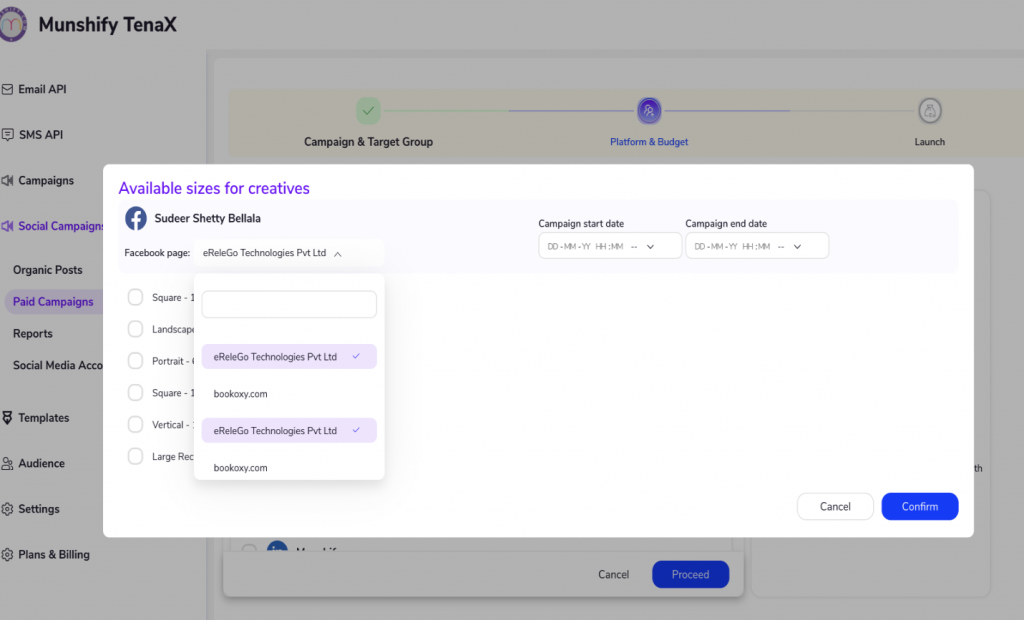
- 3. Ad Formats: Paid campaigns can utilize various ad formats, including text ads, image ads, video ads, carousel ads, and more. The choice of ad format depends on the campaign goals, target audience, and the platform’s capabilities.
- Budgeting and Bidding: Advertisers need to set a budget for their paid campaigns, determining how much they are willing to spend on advertising within a specific timeframe. Additionally, they may need to bid for ad placements, especially in platforms that use auction-based systems, where advertisers compete for ad space based on their bids and ad quality.
- Ad Placement: Paid campaigns can appear in different locations across digital platforms, such as in users’ news feeds, search engine results pages, on websites and blogs, within mobile apps, and more. Advertisers can choose where they want their ads to be displayed based on their target audience’s behavior and preferences.
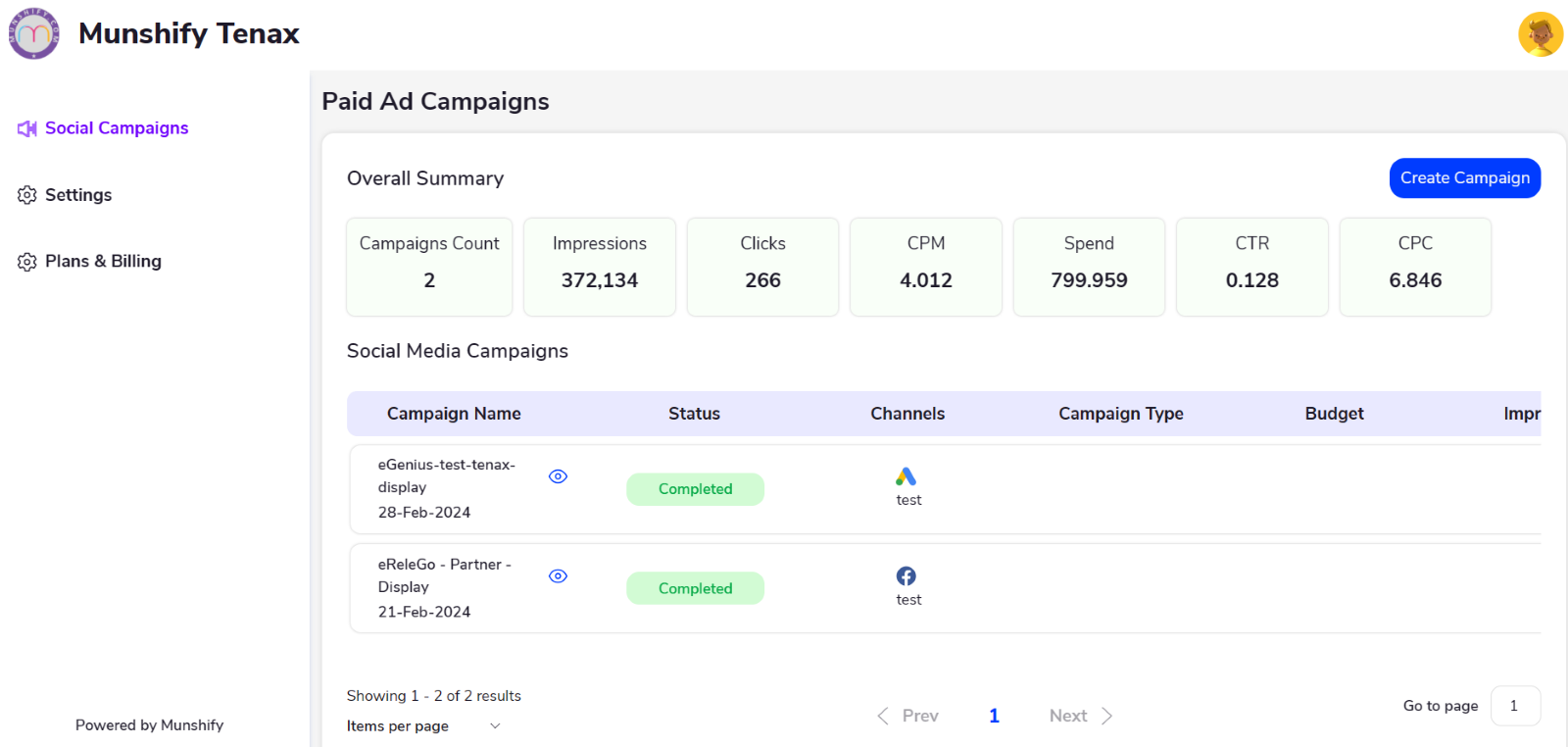
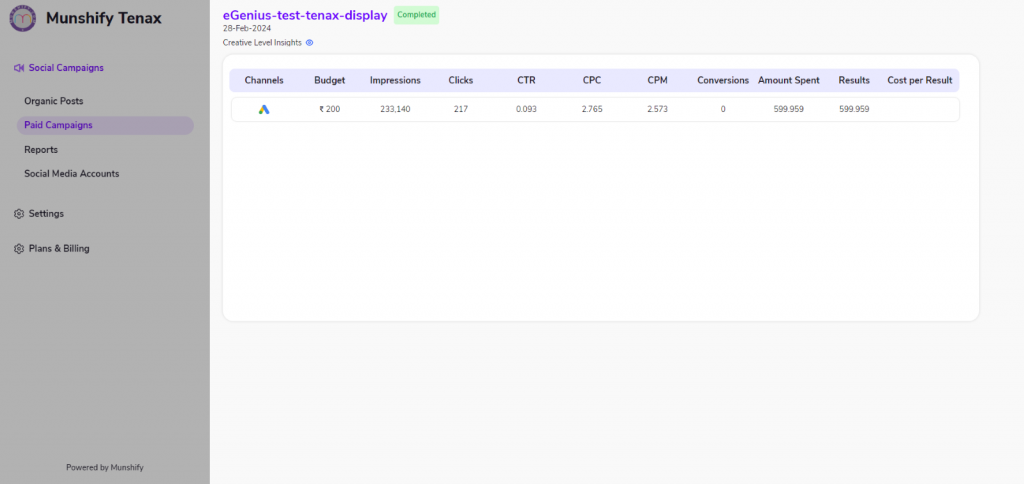
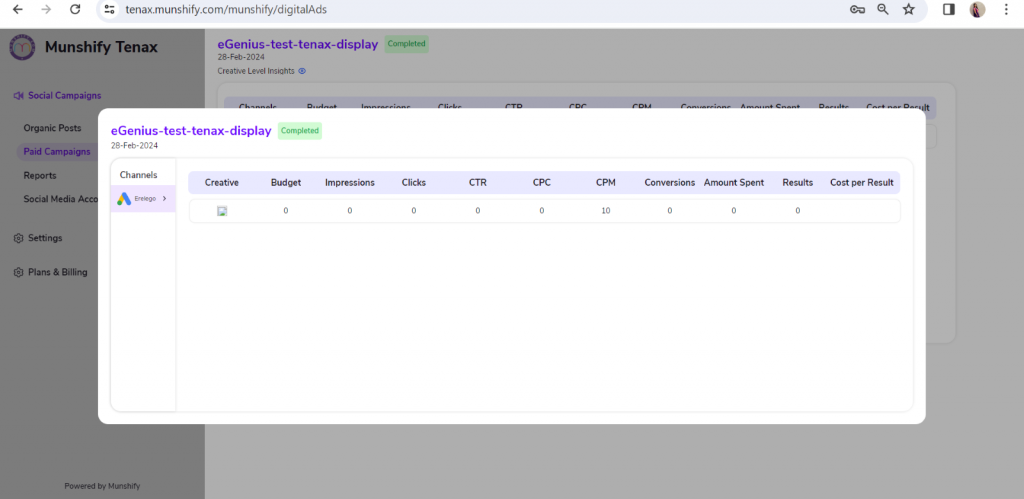
- Monitoring and Optimization: Once a paid campaign is live, it’s crucial to monitor its performance closely. This involves tracking key metrics such as impressions, clicks, click-through rates (CTR), conversions, return on ad spend (ROAS), and other relevant indicators. Based on the campaign’s performance data, advertisers can adjust and optimize results and maximize the campaign’s effectiveness.
- Measurement and Reporting: Evaluating the success of a paid campaign requires analyzing its performance against the predefined objectives and goals. Advertisers should regularly review campaign metrics, generate reports, and draw insights to inform future advertising strategies and investments.
Overall, paid campaigns offer a powerful way for businesses and individuals to reach their target audience, drive engagement, and achieve specific marketing objectives through targeted and measurable advertising efforts on digital platforms.
Accounts | Summary |
|
|
|
|
|
|
|
|





We are located at

eReleGo Technologies Pvt Ltd
646, 52, 12th Main Rd,
2nd Block, Rajajinagar,
Bengaluru, Karnataka 560010