
A new employee joins, HR collects their documents, attendance begins, and payroll needs accurate salary details. Yet many businesses manage these activities through separate spreadsheets, emails, and software.
HRMS (Human Resource Management System) connects employee information and everyday HR processes within one platform. This guide explains how HRMS software supports the employee lifecycle, reduces disconnected workflows, and helps Indian businesses manage their workforce more effectively.
Key Takeaways
- HRMS is software that connects employee information with human resource management processes.
- Employee lifecycle management covers recruitment, onboarding, attendance, payroll, performance, and employee separation.
- Integrated HRMS software reduces the need to repeatedly transfer employee information between departments.
- HR automation supports routine requests, approvals, notifications, and record updates.
- Payroll and attendance integration helps HR and finance teams coordinate salary preparation.
- Effective HRMS implementation requires accurate employee records, clear policies, user training, and workflow testing.
What Is HRMS and How Does It Work?
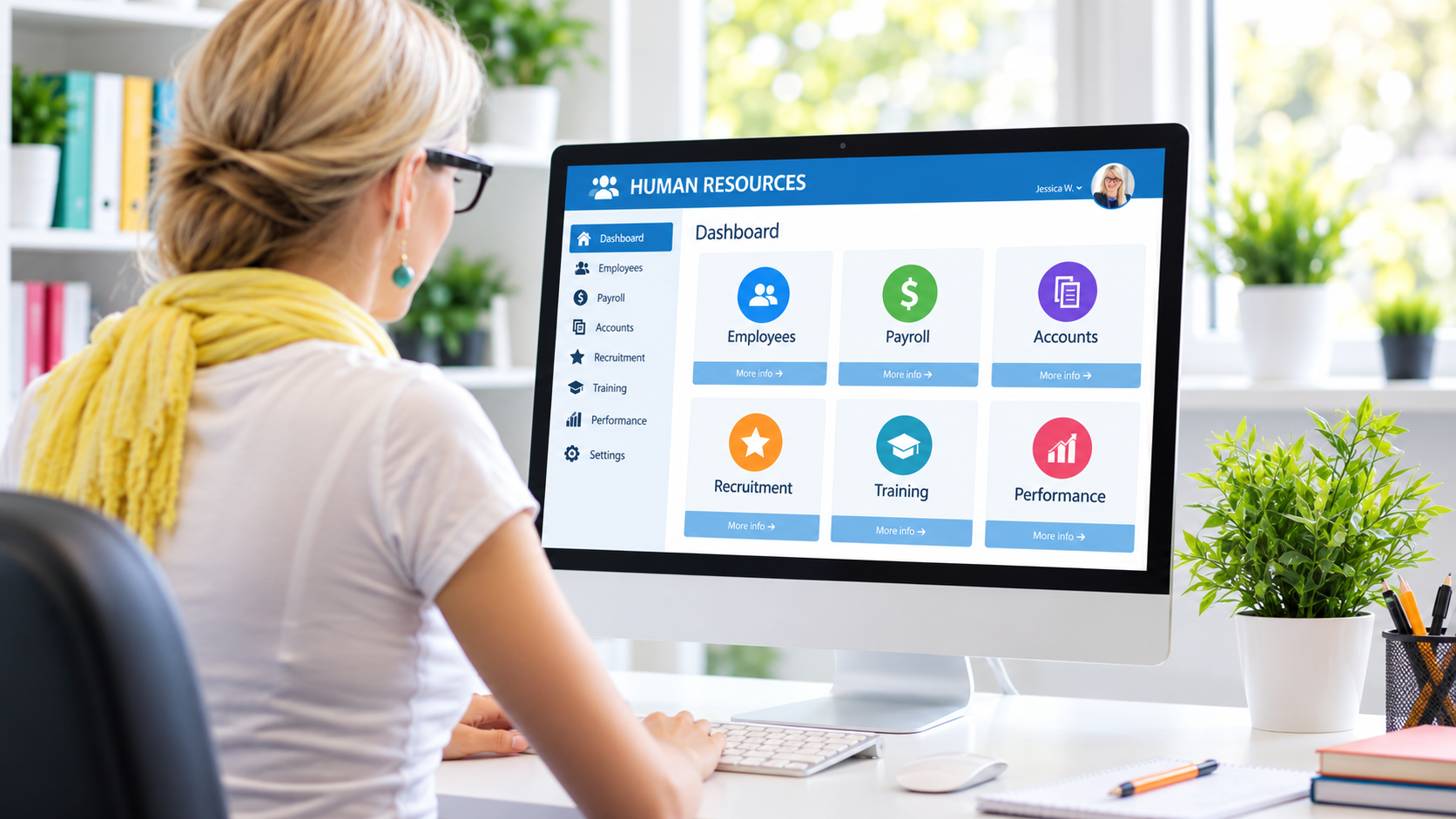
HRMS (Human Resource Management System) is software that helps organizations manage employee information and human resource processes through a connected digital platform. It can bring recruitment, onboarding, attendance, leave, payroll, and employee records together, enabling authorized teams to coordinate HR activities while reducing the need for disconnected spreadsheets and repeated data entry.
Unlike software designed for a single HR task, an HRMS can connect multiple processes throughout an employee’s journey.
For example, an employee’s joining date, department, attendance rules, and salary details may be recorded during onboarding and used by relevant HR modules.
The system’s actual automation capabilities depend on its features, integrations, and configuration.
Businesses can explore these functions through Munshify HRMS software
Why Do Growing Businesses Need an HRMS?
Growing businesses need HRMS software because additional employees create more records, approval requests, attendance entries, and payroll requirements.
When employee information is spread across different systems, HR teams spend time checking which records are current.
A connected HR management system can improve coordination in several ways:
- Centralized information: Employee records remain organized and accessible to authorized users.
- Clearer approvals: Managers can review requests through structured workflows.
- Less repetitive work: Connected modules can reuse approved employee information.
- Better visibility: HR and management teams can review supported reports.
- Employee self-service: Staff can complete routine requests without unnecessary HR follow-ups.
These improvements depend on how well the platform fits the organization’s existing processes.
How Does HRMS Support the Employee Lifecycle?
Employee lifecycle management through HRMS involves connecting the processes employees experience from recruitment to separation. A modern HR management system can organize applicant information, onboarding tasks, attendance, leave requests, payroll inputs, and employee records, allowing HR, managers, and finance teams to work through coordinated workflows.
Recruitment and Employee Onboarding
The employee lifecycle begins when a business identifies a hiring requirement.
Recruitment modules can help teams organize applications, track candidates, and manage selection activities.
After hiring, onboarding workflows can support document collection, employee record creation, and task assignment.
For example, HR may need to coordinate employee details, department allocation, reporting managers, and applicable company policies before the joining process is complete.
Attendance and Leave Management
Attendance and leave management are recurring HR responsibilities.
An HRMS can record attendance information, manage shifts, organize leave policies, and route employee requests to managers.
For example, an employee submits a leave request, the manager reviews it, and the approved information is recorded according to configured policies.
This creates a clearer process than managing approvals through scattered messages.
Payroll and Salary Processing
Payroll involves collecting employee information, reviewing attendance and leave records, applying salary rules, and preparing payments.
Integrated HRMS software can support this process by connecting relevant information.
However, payroll calculations should still include suitable review procedures and exception handling.
Learn how payroll automation connects attendance with salary processing in Munshify’s detailed payroll guide.
Performance and Employee Development
Employee management continues beyond payroll.
HR systems may support performance goals, feedback, review cycles, and employee development records.
Businesses should evaluate whether these features match their existing appraisal methods and management responsibilities.
Employee Separation and Offboarding
Employee separation involves completing final HR processes, collecting company assets, updating records, and managing necessary approvals.
Digital offboarding workflows can improve visibility into outstanding tasks and responsible teams.
A structured process also helps organizations manage employee access and documentation when someone leaves.
HRMS vs Manual HR Management: What Is the Difference?
The main difference between HRMS and manual HR management is how employee information moves between processes.
Manual HR administration often relies on independent spreadsheets, emails, and employee files. An HRMS can connect these processes through shared records and configurable workflows.
| HR activity | Manual HR management | HRMS software |
|---|---|---|
| Employee records | Separate spreadsheets or files | Centralized employee database |
| Leave requests | Email or paper approvals | Configured approval workflows |
| Attendance | Registers or separate exports | Digital tracking and integrations |
| Payroll inputs | Manual data reconciliation | Connected employee and attendance data |
| Onboarding | Individual follow-ups | Trackable onboarding tasks |
| Reporting | Manual consolidation | System-generated reports |
An HRMS does not eliminate the need for HR professionals. Instead, it can reduce repetitive administration and give HR teams more time for employee support, policy management, and decision-making.
How Does HRMS Support Payroll and Compliance in India?
HRMS software can support Indian payroll administration by organizing employee records, salary information, attendance inputs, and payroll workflows.
Businesses must also consider applicable statutory requirements, which may include provident fund, employee state insurance, tax deductions, and other obligations depending on the employer and workforce.
The Employees’ Provident Fund Organisation employer portal provides official resources for relevant provident fund processes.
Employers can also consult the Government of India’s Shram Suvidha Portal for information about applicable labour-law registration and licensing services.
Important: HRMS software can assist compliance-related administration, but installing a platform does not automatically establish statutory compliance. Employers remain responsible for correct calculations, filings, payments, and applicable legal requirements.
How Does Munshify HRMS Help Manage Employees?
Munshify HRMS is a workforce management platform that connects several employee-related processes.
Its published product capabilities include:
- Employee records: Centralized employee information, document management, and role-based access.
- Attendance management: Biometric integration, GPS-based attendance, and shift management.
- Leave management: Configurable leave policies, requests, approvals, and reporting.
- Recruitment and onboarding: Applicant tracking and digital onboarding workflows.
- Payroll operations: Payroll processing and related finance reporting workflows.
- Asset management and separation: Employee asset tracking and offboarding processes.
Munshify also describes employee self-service, configurable automation workflows, and management reporting.
How Can Businesses Choose and Implement the Right HRMS?
Selecting HRMS software starts with understanding the organization’s most important workforce management problems.
A business struggling with payroll preparation may prioritize attendance integration, while another experiencing onboarding delays may need recruitment and employee record workflows.
Before selecting a platform, evaluate:
- Essential modules: List the HR activities that need improvement.
- Ease of use: Test workflows for employees, managers, HR, and finance.
- Security: Review permissions, data access, backups, and employee information handling.
- Integrations: Confirm compatibility with attendance, accounting, and other required systems.
- Cost: Consider subscription fees, setup, migration, training, and support.
- Implementation: Prepare records, test workflows, and train users before rollout.
Start with clearly defined processes and measure outcomes such as approval time, payroll corrections, and manual data transfers.
Frequently Asked Questions
What Does HRMS Stand For?
HRMS stands for Human Resource Management System. It is software that helps businesses manage employee records and connected HR processes such as attendance, leave, onboarding, and payroll.
What Is the Difference Between HRMS and HR Software?
HR software may manage one function, such as payroll or attendance. HRMS typically connects several human resource processes within a broader employee management platform.
Can Small Businesses Use HRMS Software?
Yes. Small businesses can use HRMS to organize essential employee records and administrative workflows. The right choice depends on workforce size, budget, and operational requirements.
Can HRMS Automate Payroll?
HRMS software can automate supported payroll calculations and workflows when the necessary modules and configurations are available. HR and finance teams should still review exceptions and verify payroll outputs.
How Much Does HRMS Software Cost in India?
HRMS pricing varies by vendor, employee count, modules, integrations, and implementation requirements. Businesses should request a quotation that includes setup, support, and recurring charges.
Simplify Employee Lifecycle Management with Munshify HRMS
Managing employees should not require HR teams to repeatedly transfer the same information between spreadsheets, emails, and disconnected tools.
A suitable HRMS can connect employee records, attendance, leave, payroll, and other workforce processes while supporting clearer administrative workflows.
Explore Munshify HRMS and request a free demonstration to understand how its available features can support your organization’s HR requirements.