
4.1 How to Create a Payment Form with Purchase Order?
To create a payment form with a purchase order, add a payment field, select the purchase order option, and configure the necessary settings. Save and publish your form to begin accepting orders.
The payment field in a form builder streamlines payment collection by integrating transactions directly into the form.
It supports various payment methods and automates processing, enhancing user experience and operational efficiency.
Secure and customizable, it also provides reporting and tracking for better financial management.
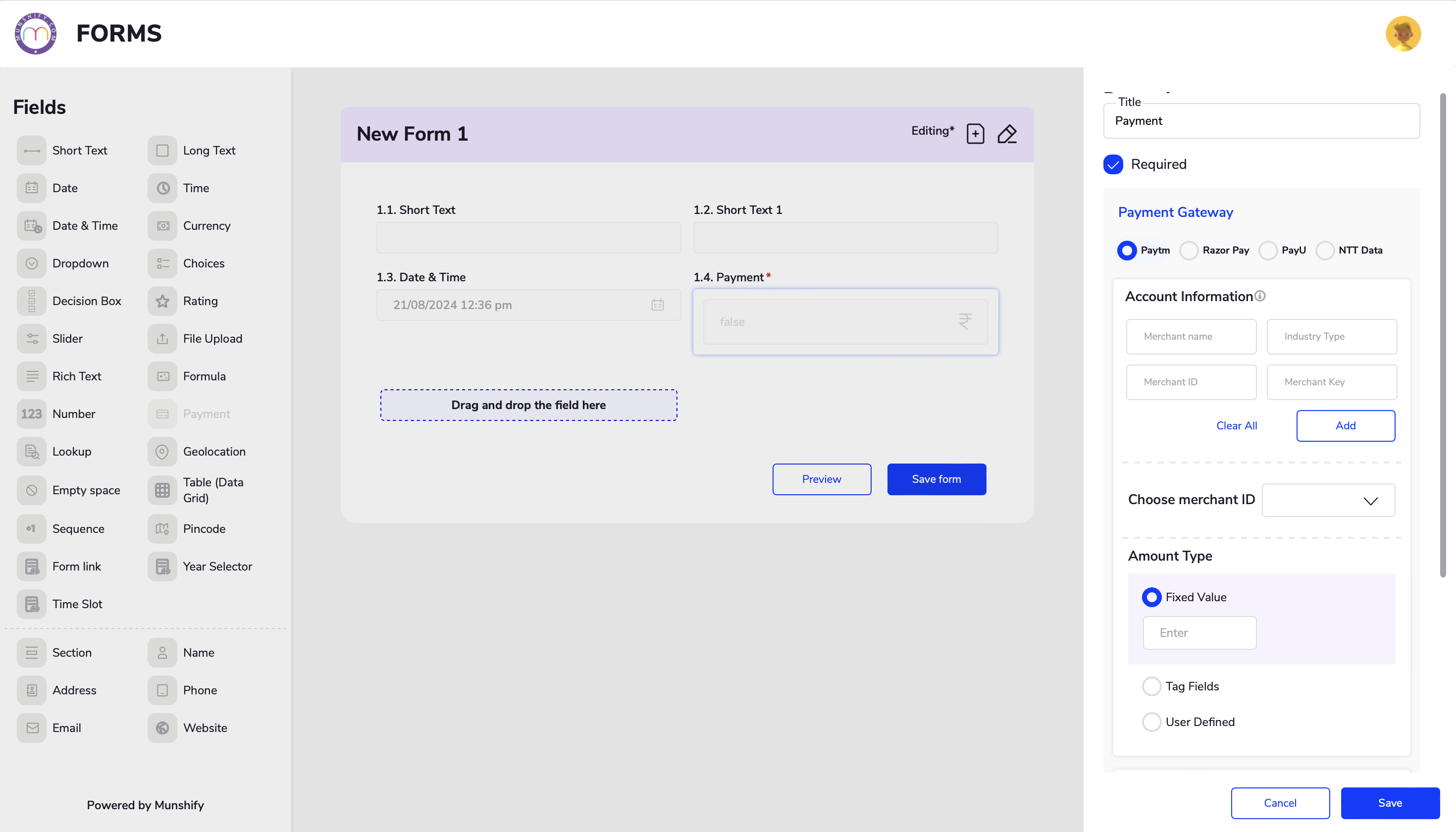
You can add a Payment field by following the steps below.
Drag and drop the Payments field onto your form.
Click on the Payments field to access its settings.
You can select your desired gateway and fill in the account information
Deleting old or unused forms helps maintain an organized account. It reduces clutter in your workspace and ensures you only manage relevant forms. Additionally, removing forms with sensitive or personal data ensures that this information is no longer accessible.
To delete a form
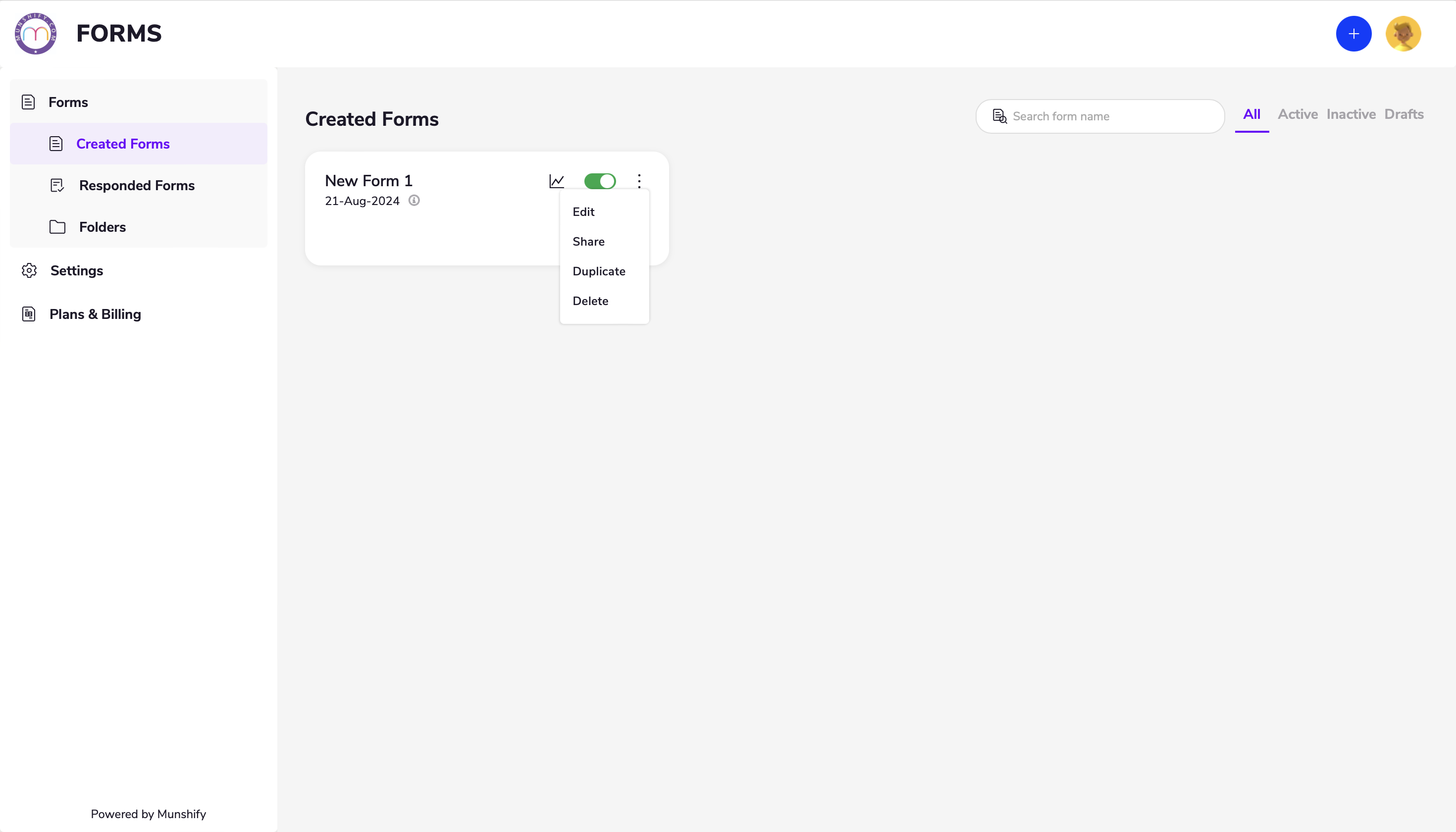
Go to the homepage and select “Created Forms” in the Forms section.
Click on the options menu for the form (represented by the three dots) and select “Delete.”
Welcome to Munshify — your all-in-one AI-first Low Code No Code platform to build apps, automate workflows, and manage your entire business from a single place.
To show you the most relevant solutions, please tell us who you are.
Just now
Welcome to Munshify.
Startup
What is the primary challenge you are looking to solve right now?
Just now
Welcome to Munshify.
Enterprise
What is the primary challenge you are looking to solve right now?
Just now
Welcome to Munshify.
Digital Solutions
What is the primary challenge you are looking to solve right now?
Just now
Great! We have an AI-powered solution tailored specifically for your requirement.
To get started, please share your basic details.
Just now
A few more details to help us serve you better.
Just now
Optional
Optional
Something went wrong. Please try again.
I Just Want to See a Live Demo
We'd love to walk you through a personalized live session of the Munshify platform.
To get started, please share your basic details.
Just now
A few more details to help us prepare the right demo for you.
Just now
Optional
Optional
Something went wrong. Please try again.
Thank you! Your details have been received successfully.
One of our AI product experts will reach out to you within the next 2 business hours to understand your requirements and walk you through the best-fit solution.
In the meantime, explore what Munshify has to offer.
Just now
Need to connect right away?
Thank you! Your details have been received successfully.
One of our AI product experts will contact you within the next 2 business hours to schedule and personalize your live session.
In the meantime, explore what Munshify has to offer.